



Table of Contents
If you’ve spent any time looking into DTF printing for a small business or a new apparel brand, you’ve probably noticed the Punehod R1390 popping up. It tends to be one of the first printers people talk about—mostly because it’s practical. It does what you need without turning setup into a headache.
DTF shirt printing keeps getting more popular, and for good reason. It’s way easier now to crank sharp, long-lasting designs on all sorts of fabrics. That’s why a lot of print shops and even people working from home are jumping on the DTF machines bandwagon.
Specs are cool and all, but what really matters is how this thing handles real-life printing.
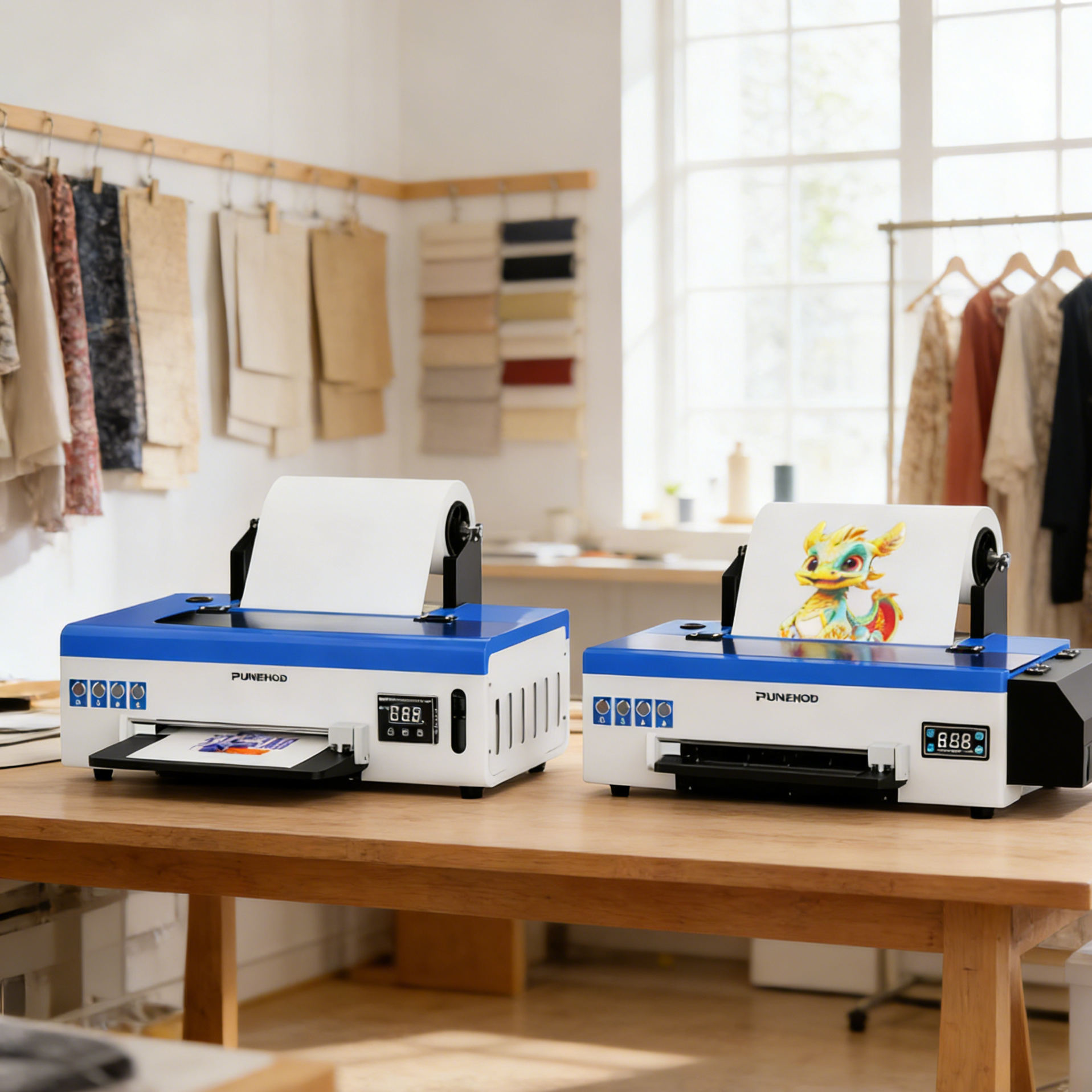
The R1390 is an A3 DTF printer, so it hits a nice middle ground. Big enough for full-size shirt prints, but still small enough to squeeze into a tight workspace.
In this guide, I’ll gonna dig into actual reviews and user experiences with the R1390—how it prints, how easy it is to run, what you need to know about upkeep, and if it’s the right move for your setup.
Product Snapshot: PUNEHOD R1390 A3 DTF Printer
Looking for a dependable A3 DTF printer for your small business or maybe just to kickstart a home t-shirt venture? The PUNEHOD R1390 is worth a serious look. It’s built to deliver pro-level DTF prints, but it’s still friendly enough for beginners or anyone hoping to grow their business.
Here’s the real deal on what you’re getting.
Key Specifications
●You get an A3 print area, up to 13 inches wide—big enough for full-sized shirts, chest prints, and those bold, oversized graphics people love.
●The printer runs at 2880 × 1440 dpi, so your DTF prints come out crisp, colorful, and smooth, even in the gradients.
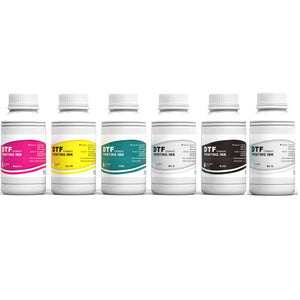
●It uses CMYK plus dual white ink channels, and there’s built-in circulation for the white ink. That means you get strong, consistent whites and way less trouble with clogged nozzles (a common headache with a lot of DTF printers).
With all that, the R1390 just makes sense for anyone who wants to start or ramp up a DTF shirt printing business and get things done efficiently.
What’s Included in the Package
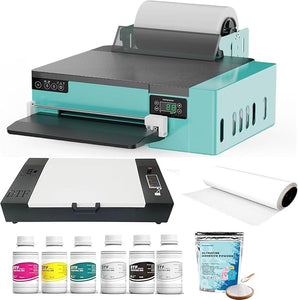
Grab the R1390 and you’re set up from day one—it comes as a full starter kit:
●The printer itself
●DTF inks and PET film
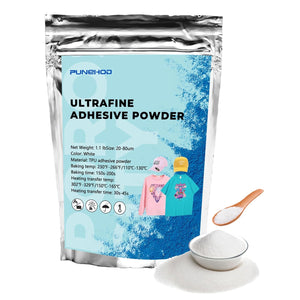
●White adhesive powder
●RIP software
●Video tutorials and a bunch of useful accessories
Basically, you don’t have to scramble around looking for random supplies. Everything you need to get DTF printing is already there.
Operational Essentials
●You’ll need a Windows PC, since that’s what the software runs on. Double-check your setup before you buy.
●You also need a heat press and a curing oven. Without those, you can’t actually transfer your designs from film to fabric.
Knowing what it takes to run a DTF printer—and not just what comes in the box—makes a huge difference. It helps you build out your whole setup, not just buy a printer that sits around collecting dust.

R1390 DTF Printer Price & Value
Price matters, especially if you’re just starting out or running a small business. The R1390 DTF printer usually costs between $1,799 and $2,099—depends if you grab the full bundle with a heat press and curing oven or just the printer itself.
If you stack it up against other A3 DTF printers out there, the R1390 really stands out. A lot of machines in this range force you to buy extras just to get up and running, or they skip important features like dual white ink circulation.
The R1390 has that built in. So, you save money upfront and you’re ready to print shirts as soon as it lands on your doorstep.
It’s not just about the starting price, either. Printing a shirt costs about $0.70, so you can keep your expenses low and still turn out pro-quality work.
Whether you’re filling custom orders or starting a little apparel side hustle, this printer pays for itself pretty fast. It’s an easy pick if you want solid results without blowing your whole budget.
✅ Buyer Insight: The R1390 isn’t the cheapest out there, but it nails that sweet spot between price, features, and what you get in the box. For small shops and startups, it offers a workflow you can count on and a return on investment that actually makes sense.
Performance Review: Real User Experience
If you’re thinking about jumping into DTF shirt printing, or leveling up your small business, you probably want to know how the R1390 DTF printer actually holds up when you use it every day.
Let’s break it down—print quality, ease of use, and how much it can handle.
Print Quality
The R1390 really pops when it comes to color. Prints come out bright and detailed, whether you’re working with cotton, polyester, or even denim. People keep pointing out how sharp the fine lines look and how the colors stay true, even after several washes. The prints just last.
One thing that makes this printer stand out is its dual white ink circulation system. DTF printers are notorious for white ink clogging, but the R1390’s setup keeps the ink flowing and coverage even.
A frequent comment from users is, “I no longer have to stop mid-job to unclog white ink—it saves so much time and frustration.”
Ease of Use
Now, about getting started—this DTF machine doesn’t make you feel like you need a PhD to run it. The included RIP software is straightforward, and there are plenty of video tutorials and guides to help you hit the ground running.
Flexibility is another plus. You can feed single sheets or use roll-fed mode, so it works whether you’re doing a handful of custom shirts or a larger batch. Switching between order sizes isn’t a hassle, and you won’t waste time constantly resetting the printer.
Volume & Productivity
When it comes to volume, the R1390 can keep up with the pace of a small shop. People are printing around 350 shirts a week without needing a huge industrial setup. So, if you’re running a small business or working from home, this printer fits right in—no crazy costs, no steep learning curve.
One user put it best: “After a week of testing, I realized I could manage several small orders efficiently without compromising print quality.
The combination of easy setup and consistent output makes this printer ideal for small businesses looking to grow their DTF operations.”
So, The R1390 brings strong print quality, is easy to use, and handles a decent workload—great for anyone serious about DTF printing without all the usual headaches.
Pros & Cons (Based on Verified Reviews & Community Feedback)
Thinking about adding the R1390 to your DTF shirt printing setup? It’s smart to look at what real users say before you decide.
Pros
●First off, people love the print quality. The Punehod R1390 delivers sharp, colorful designs that hold up wash after wash, no matter if you’re working with cotton, polyester, or denim. One small business owner put it simply: “I printed 20 custom hoodies, and the colors stayed bright even after multiple washes.” That kind of feedback pops up a lot.
●Getting started is pretty easy, too. The R1390 comes with everything you need — inks, PET films, white powder, RIP software, training guides — so you’re not scrambling for extra supplies. You can pretty much unbox it and get to work.
●It’s also flexible when it comes to what you can print. Single sheets? No problem. Rolls? That works too. So whether you’re making a few shirts, a run of tote bags, or a stack of caps, you can handle small and mid-size orders without much fuss.
Cons / What to Watch For
●Now, maintenance takes a bit of effort. Like most budget DTF printers, you have to keep up with regular cleaning, especially to stop the white ink from clogging things up. If you’re new to DTF, expect to spend some time learning the ropes. Skipping maintenance usually leads to headaches.
●Setup is usually smooth, but not always. Some people say it takes a little patience to get everything dialed in, especially if you haven’t used this type of DTF printer before. Following the tutorials and guides makes a real difference during those first few prints. Stick with it, and you’ll get the hang of it.
User Support, Maintenance & Long-Term Reliability
If you want your R1390 DTF printer to work like a champ, you’ve got to focus on three things: maintenance, support, and having a solid vendor behind you. Here’s what really matters:
Maintenance: Don’t Skip It
●White ink needs to keep moving, or you’ll end up with clogs and wonky prints.
●Take a few minutes every day—seriously, just 10 or 15—to clean things up. If you’re more of a weekly routine person, that works too. Either way, a little effort now saves you a pile of headaches later.
●Real User Tip: “A quick daily clean keeps my prints sharp and prevents downtime.” Couldn’t agree more.
Customer Support and Community Help
●Vendors offer tutorials, guides, and troubleshooting videos.
●Even better, there’s a big community out there—forums, user groups, you name it.
●If you hit a snag, chances are someone else has too, and they’ve already figured out the fix. If you’re new to DTF shirt printing, this kind of support makes all the difference.
Warranty & Training: For Peace of Mind
●You get a two-year warranty, so you don’t have to stress about things breaking.
●Plus, there’s after-sales support and training. Whether you need help with the basics or want to master some advanced tricks, you’ve got backup.
●This stuff is gold for small business owners or anyone just getting started.
The R1390 is more than just a printer—it’s about keeping your whole operation running smooth. Stay on top of maintenance, lean on support when you need it, and you’ll get consistent, high-quality DTF prints week after week.
Ideal Buyers & Use Cases
The PUNEHOD R1390 isn’t your average DTF printer. It’s built with certain users in mind, and knowing who it’s for can save you time—and maybe some headaches—when deciding if it’s worth your money.
✅ Who’s It Best For?
●If you run a small business and you’re ramping up your custom DTF shirt printing, this machine delivers sharp prints fast, especially for short or medium print runs.
●It’s also a solid pick for entrepreneurs starting their own apparel lines who want to keep printing in-house and have full control over their designs.
●And if you run a print shop looking to branch out—think hoodies, bags, caps, and other gear—the R1390 has you covered. The A3 print area and different feed options let you handle all kinds of products without much hassle.
❌ Not Recommended For
●The Punehod R1390 isn’t built for factory-level output or to pump out massive orders nonstop unless you’re ready to invest in upgrades.
●It’s friendly enough for beginners, but you’ll still need to put in some effort to set it up, keep it running, and learn the ropes to get the best results.

Conclusion
If you’re new to DTF printing or tired of paying someone else to do it, the Punehod R1390 A3 DTF printer just makes sense. It’s not trying to impress anyone with fancy extras, and honestly, that’s a good thing. This machine does its job and doesn’t turn your workspace into chaos.
Getting started takes a bit of patience, and you’ll need to stay on top of basic maintenance. But once you’ve got the hang of it, this DTF printing machine just works. Most people see reliable, sharp prints day in and day out—which, let’s face it, is what you actually need when you’ve got real orders to finish. Sure, there’s a learning curve, but nothing out of the ordinary.
In the end, if you want something that lets you dive in, learn as you go, and slowly build up your business, the Punehod R1390 is a great pick. It keeps things simple and stress-free, especially if you’re running a small shop or just starting out with DTF.