



Table of contents
- Introduction: R1390 vs L1800 DTF Printer — Which One Actually Fits Your Business?
- R1390 vs L1800 DTF Printer: Core Specification Comparison
- Difference #1: Price and Business Stage
- Difference #2: Print Quality, Color, and Detail
- Difference #3: Print Width and Speed Are Not the Deciding Factors
- Difference #4: White Ink System Is Similar, But Maintenance Still Matters
- Buying Checklist: 7 Things to Check Before Choosing a DTF Printer
- Who Should Buy the R1390 DTF Printer?
- Who Should Buy the L1800 DTF Printer?
- Conclusion: Choose the Foundation for Your Business Stage
Introduction: R1390 vs L1800 DTF Printer — Which One Actually Fits Your Business?
If you are comparing the R1390 vs L1800 DTF printer, you are probably not just looking for another spec sheet. You want to know which dtf printer can help you start printing shirts, bags, hats, hoodies, and small custom apparel orders without wasting money on the wrong machine. That is a practical question, especially for home-based startups, side hustlers, Etsy sellers, and small apparel shops looking for an a3 dtf printer that can handle real orders.
Compared with some traditional apparel printing workflows, DTF is attractive because it works across multiple fabric types and does not require garment pretreatment in the typical process.
The problem is that not every dtf printing machine is equal. Many beginners worry about clogged printheads, white ink sedimentation, and whether the machine can actually produce sellable dtf shirt printing results. These concerns are valid. A direct to film printer is not a plug-and-play home inkjet printer. It needs RIP software, correct print settings, white ink maintenance, powder curing, heat pressing, and technical support.
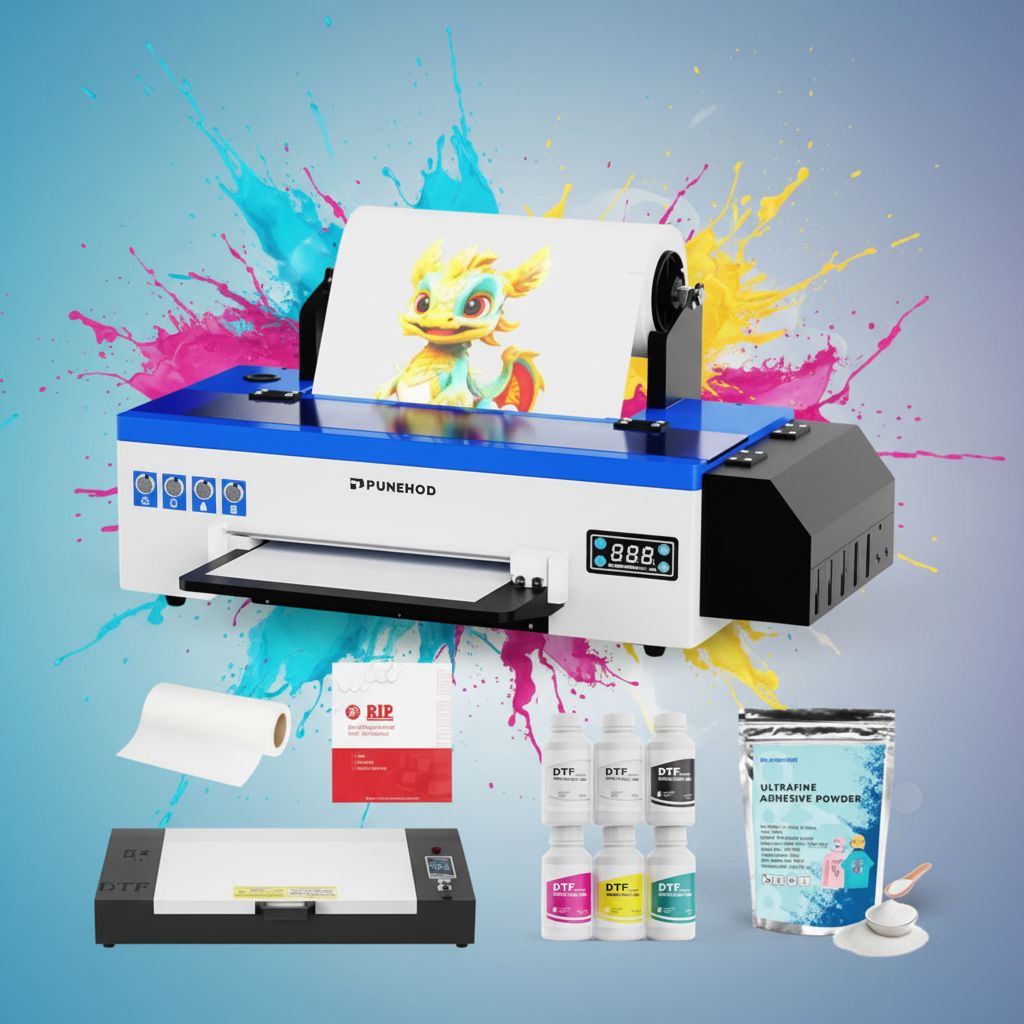
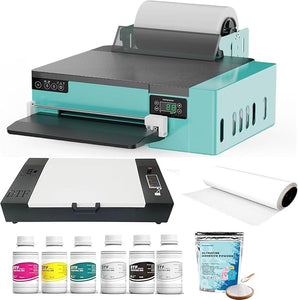
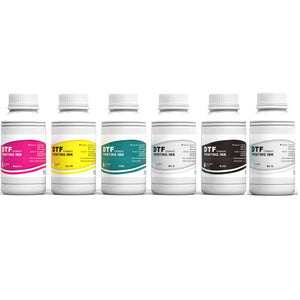
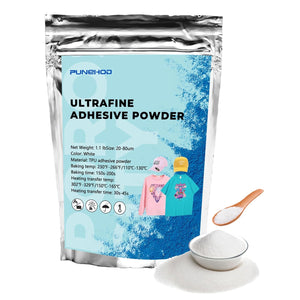
This is where the difference between the R1390 DTF printer and the L1800 DTF printer becomes important. Both Punehod models are 13-inch A3 DTF printer kits with roll-fed printing, auto-cutter support, white ink circulation, white ink stirring, included oven, inks, powder, film, software, tutorials, and accessories. Punehod states that the R1390 kit includes an A3 printer, A3 oven, 6 × 250ml inks, 500g powder, 100m roll film, software, video tutorials, and essential accessories; the L1800 kit is positioned with similar roll-fed and complete-kit advantages.
The R1390 DTF printer is the more budget-friendly base model for users looking for a cheap dtf printer or a dtf printer for beginners. The L1800 DTF printer is the upgraded choice for users who care more about better color recognition, print detail, and long-term stability. I ran a portrait design with soft tan gradients on both. On the R1390, the transition from highlight to shadow felt a bit 'stepped' or grainy. The L1800’s motherboard handled those micro-transitions much smoother, making it the clear winner for anyone doing high-end photo prints or complex illustrations.
From my product-manager perspective, the decision is simple: choose R1390 if your priority is lowering the entry cost of print dtf work at home; choose L1800 if your priority is reducing color, detail, and stability risks as your order volume grows. In this guide, we will compare both machines directly, using real parameters, actual use experience, and practical buying advice to help you decide which one is the best dtf printer for beginners or the better long-term dtf machine for your custom apparel business.
Quick Answer: R1390 Saves Entry Cost. L1800 Reduces Stability Risk.
Both machines are 13-inch A3 DTF printer kits built for shirts, tote bags, hats, hoodies, and small custom apparel production. Both use 6-color continuous ink supply, CMYK+WW configuration, PET film, roll-fed printing, auto-cutter workflow, and white ink stirring.
The real difference is positioning.
The R1390 DTF printer is the budget-friendly base model. It is the better fit if you are looking for a cheap DTF printer, a first DTF printer for beginners, or a lower-risk way to start a home-based DTF business. The current R1390 printer + oven bundle is listed at $1,799, down from $2,599.

The L1800 DTF printer is the upgraded option. It costs more, but the value is better color recognition, better print results, and stronger print stability. The current L1800 printer + oven bundle is listed at $2,199, down from $3,399, so the L1800 costs $400 more than the R1390 in the current comparison.

My product-manager view is very simple: choose R1390 if your main goal is to start print DTF work with less upfront cost. Choose L1800 if your main goal is to reduce reprint risk, improve color consistency, and produce more stable DTF shirt printing results.
R1390 vs L1800 DTF Printer: Core Specification Comparison
| Comparison Point | R1390 DTF Printer | L1800 DTF Printer | Practical Meaning |
|---|---|---|---|
| Product positioning | Base version | Upgraded version | R1390 is for entry cost control; L1800 is for better output stability |
| Current price | $1,799 | $2,199 | L1800 costs $400 more |
| Regular price | $2,599 | $3,399 | Both are sold as discounted printer + oven bundles |
| Print width | 310 mm / 13 inch | 310 mm / 13 inch | No real difference in max print width |
| Print speed | A3 size, about 7 minutes | A3 size, about 7 minutes | No meaningful speed difference |
| Print resolution | 1440 × 1440 DPI | 1440 × 1440 DPI | Base resolution is the same |
| High-precision output claim | Up to 2880 DPI / 1.5PL inkdrop control | Up to 2880 DPI / 1.5PL inkdrop control | Both are positioned for high-detail DTF print output |
| Ink system | 6-color continuous supply, CMYK+WW | 6-color continuous supply, CMYK+WW | Same ink configuration |
| White ink system | White Ink Circulation +White Ink Stirring | White ink output + white ink stirring | Both address white ink sedimentation risk |
| Film workflow | Roll feeder + auto-cutter + 100m film roll | Roll feeder + auto-cutter + 100m film roll | Both reduce film waste vs single-sheet workflow |
| Kit included | Printer, A3 oven, inks, powder, film, software, tutorials, accessories | Printer, A3 oven, inks, powder, film, software, tutorials, accessories | Both are complete starter kits |
| Estimated print cost | About $0.70 per 13"×16" adult T-shirt print | About $0.70 per 13"×16" adult T-shirt print | Same cost assumption |
| Output capacity | Up to 350 T-shirts/week | Up to 350 T-shirts/week | Same stated production capacity |
| Best fit | Budget-sensitive beginners | Users who want better color and stability | Different business stages |
The table shows why many buyers get confused. On paper, the two DTF printing machine options look extremely close. So the buying decision should not be framed as “which one is bigger?” or “which one is faster?” It should be framed as: Do you want to spend less to start, or spend more to get better color recognition and print stability?
Difference #1: Price and Business Stage
For a first-time buyer, price matters. The R1390 is currently listed at $1,799, while the L1800 is listed at $2,199. That $400 gap is meaningful for a new home business because the buyer may still need a heat press, blank shirts, packaging, design software, spare consumables, and test materials.
That is why the R1390 DTF printer makes sense for someone searching for a DTF printer for home use or a DTF printer for beginners.
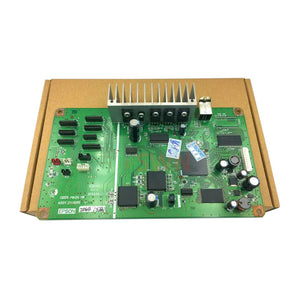
But the L1800 DTF printer is not just “the expensive one.” Punehod positions the L1800 as the upgraded version because it uses a more advanced motherboard, with better color recognition, better print results, and stronger printer stability.
So the business-stage decision is clear:
- If you are testing a side hustle, R1390 is the safer first purchase.
- If you already have customer orders or plan to sell professionally, L1800 is the stronger long-term choice.
- If a failed print costs you time, material, and customer trust, L1800’s stability advantage matters more than the $400 difference.
Difference #2: Print Quality, Color, and Detail
Both machines use a 1440 × 1440 DPI base print resolution, and both product pages describe high-definition output with 1.5PL inkdrop control and up to 2880 DPI resolution.
In real use, the R1390 already produces clear images and bright colors. Based on hands-on experience, the printed graphics look sharper and more vivid on shirts than many beginners expect from an entry-level DTF machine. For T-shirts, tote bags, and simple custom apparel designs, the R1390 is capable enough to start selling.
The L1800, however, performs better when the design requires cleaner gradients, finer detail, and more predictable color output. This matches the product positioning: Punehod describes the L1800 as having better color recognition and better print stability than the R1390.
That matters in real orders. A simple white logo on a black shirt is easy. A photo-style print, multi-color illustration, skin tone, gradient, or detailed artwork is less forgiving. If the customer is paying for a custom shirt, “almost right” is not good enough. A better direct to film printer is not just about making one good print; it is about making the same quality again tomorrow.
Difference #3: Print Width and Speed Are Not the Deciding Factors
Both models are described as 13-inch A3 DTF printers with a 310 mm print width and an A3-size print time of about 7 minutes.
This is important because many buyers assume the L1800 must be bigger or faster because it costs more. It is not. In this comparison, print width and speed are effectively the same.
For context, A3 is a standardized paper format commonly listed as 297 × 420 mm, or about 11.7 × 16.5 inches. A 13-inch DTF print width gives enough working width for common shirt fronts, chest graphics, tote bags, caps, and many custom apparel transfers.
If your main work is DTF printer for shirts, hoodies, bags, hats, and small apparel drops, both machines cover the same practical size class. The L1800’s advantage is not size. The advantage is output quality and stability.
Difference #4: White Ink System Is Similar, But Maintenance Still Matters
White ink is one of the biggest pain points in DTF printing. It is heavier than standard CMYK ink, and poor circulation can lead to sedimentation, nozzle clogging, weak white backing, blurry graphics, or uneven output.
Both R1390 and L1800 use 6-color continuous ink supply with CMYK+WW, and both include white ink output and white ink stirring. Punehod states that its DTF printers include white ink circulation and white ink stirring, and claims this system can reduce printhead blockage caused by white ink deposition by 90%.
That is a serious selling point, but buyers should not misunderstand it. White ink circulation does not mean “zero maintenance.” It means the machine is designed to reduce one of the most common DTF failure points.
In real use, a beginner still needs to keep the white ink moving, follow cleaning routines, avoid poor-quality ink, and run the printer regularly. With the R1390, I have seen an initial test produce blur and spotting, but the issue was solved quickly through technical guidance. That is a good reminder: for any best DTF printer for beginners, support quality matters almost as much as hardware.
In my studio, if I leave the R1390 sitting for three days without a head flush, I usually spend 20 minutes on Monday morning getting the white ink back to 100%. With the L1800, the circulation is just a bit more robust—usually, one quick cleaning cycle and I’m ready to print. If you hate 'wasting' 30ml of ink every morning on cleanings, that’s where the extra $400 pays for itself.
The L1800 is no complex maintenance. Even with better stability, users still need to install software, watch tutorials, adjust color, clean the system, and maintain the white ink workflow. A DTF printer is not a standard office printer.

Buying Checklist: 7 Things to Check Before Choosing a DTF Printer
1. Do not buy only by price.
The R1390 saves $400 compared with the L1800 at the current listed prices. That makes it the better low-entry-cost option. But if you already have customer orders, L1800’s better color recognition and stability may save more money by reducing failed prints and rework.
2. Confirm the machine is a complete kit.
A usable DTF printing machine setup needs more than the printer body. Make sure the package includes the oven, ink, powder, PET film, software, tutorials, and key accessories. Both R1390 and L1800 kits include these items.
3. Check the white ink system.
For DTF, white ink is critical because it creates the backing layer that helps designs show clearly on dark or colored garments. Both models include white ink stirring, and Punehod states that its white ink circulation/stirring system can reduce printhead blockage caused by white ink deposition by 90%.
4. Do not assume “beginner-friendly” means “maintenance-free.”
Both machines are beginner-friendly, but DTF still requires regular cleaning, correct ink use, white ink flow management, and software setup. The product page itself states that users need Windows, oven/heat press workflow, and tutorials for install, use, and maintenance.
5. Confirm your application materials.
Both models can be used for cotton, polyester, leather, T-shirts, jeans, hats, handbags, pillows, shoes, socks, caps, handicrafts, hoodies, cushions, and other fabrics.
This is one reason DTF is attractive compared with some other apparel decoration methods. DTF is commonly described as working across a wider range of materials and not requiring garment pretreatment in the typical process.
The Durability Test: In our studio, we ran a 20-wash stress test on a standard 100% cotton Gildan shirt printed on the L1800 using the recommended 325°F heat press for 15 seconds. After 20 cycles in a standard home dryer, the edges remained crisp with zero cracking or fading. That’s the specific data point you need when a customer asks if their $35 custom hoodie will survive the laundry.
6. Check computer compatibility before buying.
If you use Windows, the workflow is straightforward because the RIP software only works on Windows. If you use a Mac, you will need a Windows environment before using the printer. Parallels is the more practical option for many newer Macs, while Boot Camp only applies to compatible Intel-based Macs. This is not a minor detail; it affects setup time, troubleshooting, and daily workflow.
7. Check shipping, warranty, and compliance claims.
For North American buyers, shipping and after-sales support matter. Punehod’s support page states that delivery usually takes 5–10 business days, the default shipment method is DHL Express or FedEx Express, U.S. shipping is free, and the products come with a 2-year / 24-month warranty.
For compliance, understand what marks mean. CE marking is a manufacturer responsibility indicating that a product meets applicable EU requirements; it is not a general quality award. For U.S. electronic equipment, the FCC explains that equipment authorization can involve Certification or Supplier’s Declaration of Conformity, depending on equipment type.

Who Should Buy the R1390 DTF Printer?
Choose the R1390 DTF printer if you want a lower-cost way to start DTF printing without buying a bare-bones machine.
It is the better match if:
- This is your first DTF printer for beginners.
- You are running a side hustle or home studio.
- You need an A3 DTF printer for shirts, bags, hats, and small apparel orders.
- You want a complete kit instead of sourcing every accessory separately.
- You are price-sensitive and want to control upfront risk.
- You are willing to spend time learning software, maintenance, and color setup.
In my real use, the R1390 produced clear images and strong colors. The shirt output looked better than expected for its price class. The learning curve was real, though. It did not behave like a normal home printer. During the first test, blur and spotting appeared, but support helped resolve the issue quickly.
That is exactly how I would position R1390: not the most advanced DTF machine, but a practical starter kit for people who want to enter DTF without overinvesting.
Who Should Buy the L1800 DTF Printer?
Choose the L1800 DTF printer if you care more about color, detail, and stability than saving $400.
It is the better match if:
- You already know you want to build a DTF business.
- You plan to sell custom T-shirts or small-batch apparel regularly.
- You print more complex artwork, gradients, photos, or detailed designs.
- You want better color recognition and print consistency.
- You want a more upgraded direct to film printer from the start.
- You want to reduce customer complaint and reprint risk.
From real use, the L1800 produces stronger results than the R1390 in color and detail. It feels more suitable for T-shirts, small-batch apparel customization, and home studios that want professional-looking DTF output.
But I would still be honest with buyers: L1800 is not magic. New users still need to install software, watch tutorials, adjust color, maintain white ink flow, clean the machine, and use stable-quality ink. The advantage is not that it removes the learning curve. The advantage is that once the workflow is set correctly, the output has more room for professional use.
Conclusion: Choose the Foundation for Your Business Stage
The R1390 is like a reliable entry-level sedan—it’ll get you to work, but you’ll feel every bump in the road. The L1800 is the upgrade with better suspension; it just makes the whole journey less stressful when the road (or your order volume) gets rough.
Ready to start printing?
If you want the lower-cost starter route, buy the Punehod R1390 DTF Printer + Oven.
If you want the upgraded stability route, buy the Punehod L1800 DTF Printer + Oven.
Either way, choose the dtf machine that matches your business stage—not just the one with the lowest price.