



Table of Contents
The Quality of the DTF Printer
Stability of the DTF Printing Process
DTF Ink Performance and Color Control
The Impact of DTF Film Quality
How DTF Powder Affects Adhesion and Durability
Printer Setup, Calibration, and Maintenance
Environmental and Production Conditions
Common DTF Transfer Print Defects and Their Root Causes
Poor Adhesion After Heat Pressing
Color Inconsistency Between Batches
Why Consistency Matters More Than Speed in DTF Printing
DTF transfer quality usually doesn’t fail all at once; it drifts over time, with colors shifting, edges losing sharpness, and repeat prints no longer matching—even when the file stays the same.
From our experience working with print shops, these issues rarely come from one setting or material, but from small instabilities across the printer, ink, film, powder, setup, and environment that build up and affect the final result.
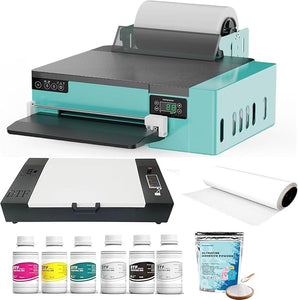
The Quality of the DTF Printer
Print quality often starts to drift before a printer shows any obvious failure. One of the first signs is inconsistent dot placement—fine details fade, small text fills in, and thin lines break, especially on logos and small chest prints.
Issues also appear during longer runs. A job may start clean, then color density shifts after 30–50 transfers. Blacks lose depth and reds wash out, which usually points to unstable ink delivery inside the dtf printer, not a color profile problem.
In our experience, once ink flow variation exceeds about ±5%, quality loss becomes visible. White layers lay down unevenly, reducing opacity and softening edges after pressing.
Higher resolution doesn’t fix this. If dot placement isn’t stable, increasing DPI only highlights inconsistencies. In practice, a stable 720×1440 DPI setup produces cleaner DTF transfer prints than an unstable higher setting. This is where consistent commercial DTF printers stand apart from basic units.
Stability of the DTF Printing Process
Most quality complaints don’t come from a single bad print. They appear when the same file is run again and the result isn’t quite the same.
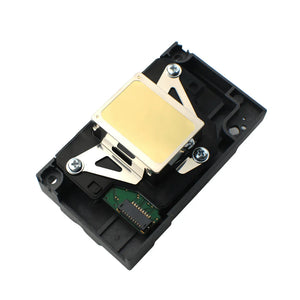
A common warning sign is banding. The artwork hasn’t changed, and settings stay the same, but horizontal lines start showing up on the DTF print. In production, this usually comes from inconsistent print head movement. When a dtf printing machine can’t repeat the same pass position, ink layers stack unevenly on the film.
Another issue shows up during longer runs. A dtf printer may handle the first few transfers without trouble. As the job continues, colors begin to drift. Small pressure changes inside the dtf machine affect ink delivery. The shift is subtle at first, then becomes harder to ignore.
Shops tracking consistency often see problems once pass alignment variation exceeds around 0.1 mm. At that point:
- Fine outlines lose sharpness
- White underbases stop lining up cleanly with color layers
- Edges look soft after pressing, even when film and powder don’t change
Stability also affects repeat jobs. If a dtf transfer printer produces slightly different results from one day to the next, quality control becomes guesswork. Many low-end units perform well on short jobs but struggle under daily production.
DTF Ink Performance and Color Control
Color issues usually build up over time rather than appearing all at once. In daily production, shops often notice problems only after comparing a fresh DTF print with one made a few days earlier.
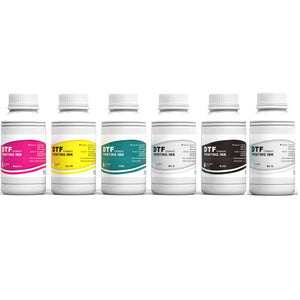
A common cause is ink density drift. Even with unchanged settings, a dtf printer may not deliver ink at a steady rate. Solid areas lose depth, reds fade, and dark colors flatten. This typically points to ink flow instability inside the dtf printing machine, not a RIP or file issue.
White ink adds more risk to DTF transfer consistency. Uneven coverage affects the entire print—too little white reduces opacity on dark garments, while excessive white increases the chance of cracking after pressing. From shop testing, visible defects tend to appear once white ink output becomes noticeably unstable, especially on black or navy fabrics.
This aligns with published research on inkjet white ink and multilayer ink systems, where variations in layer thickness and deposition stability are shown to directly affect opacity, flexibility, and wash durability.⁴
Color control also affects edge clarity. When ink spreads too much on the film, fine details blur before curing. Two dtf transfer printers using the same file can produce very different results if their ink output behaves differently at the nozzle level.
From our experience, stable DTF printing comes from consistency rather than brighter colors. Keeping ink output, color density, and white layers steady from the first transfer to the last makes the biggest difference.
The Impact of DTF Film Quality
Film-related problems often appear immediately. When dtf film quality is inconsistent, the dtf printer is usually blamed first, even though the issue starts with the film.
When the coating layer isn’t uniform, ink dots spread beyond their intended size, which in production often shows up as:
- Thickened fine lines
- Closed gaps in small lettering
- Reduced edge clarity after pressing
When DTF transfer prints look inconsistent within the same run, film quality is often the overlooked factor.
How DTF Powder Affects Adhesion and Durability
Powder-related issues usually appear after pressing or washing, not on the film itself. A DTF print can look clean and sharp, then fail once it is applied to fabric.
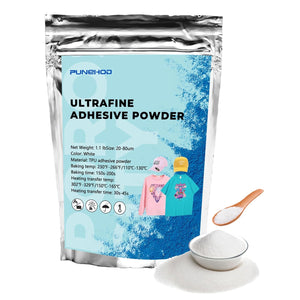
Uneven dtf powder coverage is a common cause. When particle size or distribution is inconsistent, some areas bond properly while others do not. Weak points typically appear first along fine edges or small text after heat pressing.
At its core, DTF powder behaves like a polyurethane (TPU) hot-melt adhesive system, where melt rheology and formulation directly determine peel adhesion. Peer-reviewed studies on TPU hot-melt adhesives for textile bonding report measurable peel strength values (for example, around 1.68 kg/cm in controlled TPU adhesive systems), showing that relatively small changes in melt and flow behavior can materially affect bonding performance.¹ This aligns closely with what shops observe in DTF transfer production.
Rather than focusing on a fixed temperature threshold, practical control comes from managing the powder melt window and softening behavior. In production environments, adhesion performance should be verified through standardized testing—such as ASTM D903 peel testing after ISO 6330 laundering cycles—to confirm durability under real use conditions.²³
Humidity further complicates bonding performance. Powder absorbs moisture easily, which alters melt behavior and flow consistency. Many shops see more stable DTF transfer results after drying powder before use, even when the dtf printer and dtf film remain unchanged.
Printer Setup, Calibration, and Maintenance
Many quality issues don’t come from the dtf printer hardware itself, but from how the printer is set up and maintained over time. These problems usually appear gradually, which is why they’re often misjudged as “material issues” or “ink problems.”
In real production, small setup errors tend to stack. One setting drifts. One maintenance step gets skipped. The result is a steady drop in DTF transfer quality that’s hard to trace back to a single cause.
The table below reflects what print shops most commonly encounter in daily DTF printing.
|
Setup or Maintenance Issue |
What Happens in Production |
Impact on DTF Transfer Prints |
|
Print head not properly calibrated |
Pass alignment shifts during printing |
Blurred edges, visible banding |
|
Inconsistent platen or film height |
Ink lands unevenly on DTF film |
Soft details, uneven color density |
|
Poor ink circulation or agitation |
White ink settles or flows unevenly |
Patchy white base, weak opacity |
|
Infrequent nozzle checks |
Partial clogging over time |
Missing lines, broken fine text |
|
Skipped regular cleaning |
Ink buildup affects output stability |
Gradual loss of sharpness and contrast |
These issues are rarely obvious on the first few prints. A dtf printing machine may produce acceptable results at the start of the day, then show quality loss after extended use. This is especially noticeable during longer runs or repeat jobs.
What we’ve seen is that regular calibration solves most quality problems. Stable alignment and ink flow tend to improve DTF transfer results more than constant profile tweaks, and unexplained print changes almost always come back to setup or maintenance.
Environmental and Production Conditions
Environmental changes often explain quality shifts even when the dtf printer, film, and powder stay the same.
Temperature affects how ink behaves on dtf film. Cooler rooms thicken ink, while warmer conditions cause it to spread more. When room temperature changes by about 5–8°C, shops often see differences in dot sharpness and color density, especially on longer runs.
Humidity has an even stronger impact. High humidity slows ink drying and alters how powder melts, while low humidity can cause ink to dry too fast and weaken bonding. This is why DTF transfer prints can look different from morning to afternoon in shops without climate control.
Material handling also affects consistency:
- Film stored in humid conditions absorbs moisture and alters coating behavior
- Powder left exposed clumps and melts unevenly
- Cold materials moved into warm rooms create condensation issues
Production pace matters as well. Continuous back-to-back printing increases heat inside the dtf printing machine, which can disrupt ink flow, especially in white ink systems.
When print quality changes without an obvious cause, the environment is often the missing factor. Controlling temperature, humidity, and material handling leads to more consistent DTF transfer results.
Common DTF Transfer Print Defects and Their Root Causes
Blurry or Soft DTF Prints
Blurry prints are often blamed on resolution, but the cause is usually unstable dot placement, excessive ink spread on the dtf film, or uneven film coating. When these issues stack, fine details fade first, especially small text and thin lines.
Poor Adhesion After Heat Pressing
Edge lifting or peeling after pressing usually points to bonding issues rather than printer settings. Uneven dtf powder coverage, inconsistent melting, moisture in the powder, or unstable humidity and press temperature all reduce adhesion.
Cracking After Washing
Cracking after a few wash cycles, especially on stretch fabrics, typically means the bonding layer is too thick or uneven. Excess white ink, inconsistent powder melt, or uneven press pressure increase stress on the transfer, even though the dtf printer often gets blamed.
Color Inconsistency Between Batches
When the same file produces different colors on different days, the issue is usually repeatability. Small changes in ink flow, pass alignment, or environmental conditions can shift color density just enough to be visible, which is why some dtf transfer printers look fine on short runs but struggle with batch consistency.
Why Consistency Matters More Than Speed in DTF Printing
In DTF printing, speed is easy to increase. Consistency is harder to maintain, and it’s what keeps transfer quality stable over time.
Many shops push a dtf printer faster once basic settings look fine. Early results often pass inspection, but small variations build up. Colors begin to shift. Edges soften. White layers stop aligning cleanly. Individually these issues seem minor, but together they reduce overall DTF transfer quality.
Consistency matters most on repeat jobs. When the same design is printed days or weeks apart, results need to match. Shops using dtf printing machines that maintain stable ink flow and pass alignment usually see fewer complaints, even at lower speeds.
Higher print speeds add stress to the system. Small mechanical or ink-flow variations become more visible, often leading to:
- Gradual color density drift
- Increased banding on longer runs
- lMore adhesion issues after pressing
Shops focused on long-term production typically run the dtf machine within a stable range instead of pushing maximum output. Fewer reprints and more predictable DTF transfer prints usually outweigh the gains from higher speed.
Conclusion
Across real production environments, DTF transfer quality is rarely affected by a single factor. It’s the result of how the printer, ink, film, powder, setup, and environment work together over time. When any part of that chain becomes unstable, quality starts to drift.
Shops that maintain consistent DTF printing focus less on peak speed and more on repeatable results. Stable ink flow, controlled materials, and disciplined setup routines reduce reprints and make quality easier to manage day after day.
This is also the approach Punehod takes when supporting DTF transfer production. The focus is not on pushing limits, but on helping users build stable workflows that deliver predictable DTF transfer prints in real-world use.
[1]Peer-reviewed studies on polyurethane (TPU) hot-melt adhesives and textile peel strength, MDPI Polymers Journal.
[2]ASTM D903 – Standard Test Method for Peel or Stripping Strength of Adhesive Bonds.
[3]ISO 6330 – Domestic washing and drying procedures for textile testing.
[4]Studies on inkjet white ink layer thickness, opacity, and wash durability in textile and coating applications.