


Table of contents
1. Decide Whether You Should Buy or Outsource First
2. Match A4 or A3 to Your Main Product Type
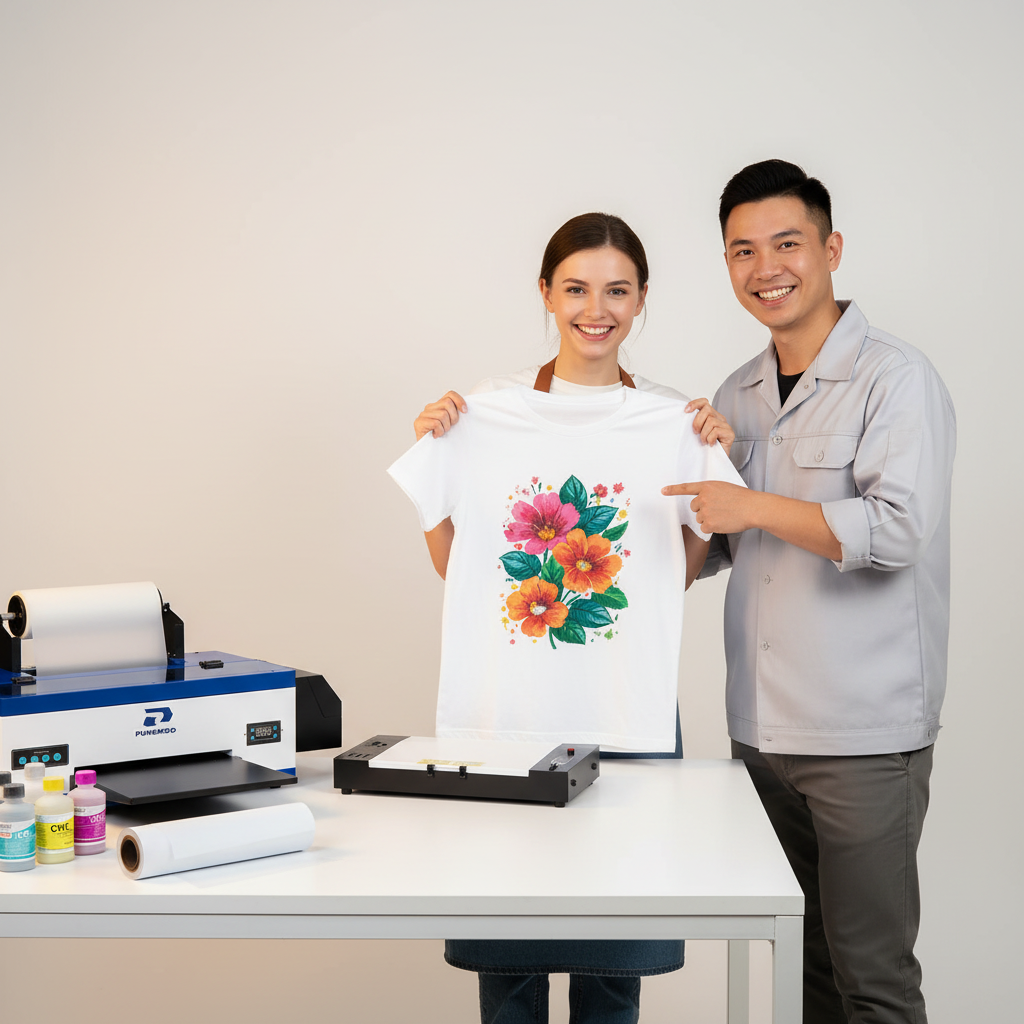
3. Understand the Full DTF Workflow
4. Calculate the Real Cost Beyond the Printer
5. Pay Close Attention to White Ink Management
6. Know the Maintenance Commitment
7. Check Software and Computer Compatibility
8. Prepare the Right Workspace
9. Compare Punehod With Other DTF Printer Brands the Right Way
10. What Most DTF Printer Comparisons Miss
11. Review Warranty, Support, and Shipping Before Ordering
12. Understand Consumables and Reordering
13. Test Print Quality Before Selling
14. Learn the Common Beginner Problems
16. Know Who a Punehod DTF Printer Is Best For
Final Verdict: What Matters Most?
Before buying a Punehod DTF printer, consider print size, production volume, maintenance, software, workspace, total setup cost, and support. A4 models are better for small graphics, children’s clothing, labels, and starter projects, while A3 models give more room for adult T-shirts, hoodies, tote bags, and larger designs. You should also plan for ink, PET film, adhesive powder, curing equipment, a heat press, Windows-based RIP software, cleaning supplies, and test materials. A DTF printer can help a small business print faster, but only when the machine fits the real workflow.
A dtf printer is not just another piece of equipment. It affects how you prepare artwork, manage ink, cure transfers, press garments, control quality, and fulfill orders. For a small apparel business, the right setup can shorten turnaround time and make custom production more flexible. The wrong setup can lead to wasted film, clogged nozzles, inconsistent transfers, and unexpected costs — the kind of “surprise” no business owner wants after unboxing a new machine.
This guide explains what to check before buying a Punehod DTF printer, especially if you are starting or growing a home-based apparel brand, Etsy store, Shopify shop, local T-shirt business, or custom merch operation.

1. Decide Whether You Should Buy or Outsource First
The first question is not “Which printer should I buy?” It is “Should I own a DTF printer right now?”
Buying makes sense when you need more control over production. If you print every week, handle custom orders, test new designs often, or need faster turnaround, owning a dtf printing machine can be useful. You can produce short runs, adjust artwork quickly, and avoid waiting for outside transfer suppliers.
Outsourcing may be better if your order volume is still low. If you print only a few times per month, have limited workspace, or do not want regular maintenance, buying too early can create more work than profit. No one wants to buy a printer only to discover that outsourcing would have been cheaper, easier, and less likely to stare at them from the corner of the room.
| Situation | Better Choice |
| You print weekly or daily | Buy a printer |
| You need fast custom production | Buy a printer |
| You are still testing product demand | Outsource first |
| You do not want maintenance | Outsource first |
| You already sell apparel and own a heat press | Buying may make sense |
| You have no space for curing, powder, or supplies | Outsource first |
A DTF printer should support a clear production need. It should not be the reason you start guessing what products to sell.
2. Match A4 or A3 to Your Main Product Type
Print width is one of the most important buying factors. A smaller printer may reduce the starting cost, but it can also limit what you can sell.
Punehod A4 models have an 8.3-inch, or 210 mm, print width. This format is better for smaller graphics, children’s clothing, pocket logos, sleeve prints, labels, and beginner projects. If most of your designs are compact, A4 can be a practical starting point.
An a3 dtf printer gives a 13-inch, or 330 mm, print width. That extra space is useful for adult T-shirts, hoodies, tote bags, large graphics, and more varied custom orders.
| Product Type | Better Fit | Why |
| Pocket logos | A4 | Small print area |
| Children’s clothing | A4 | Smaller garment size |
| Labels and small graphics | A4 | Lower width requirement |
| Adult T-shirts | A3 | More room for standard designs |
| Hoodies | A3 | Better for bold artwork |
| Tote bags | A3 | More layout flexibility |
| Custom apparel business | A3 | Handles more order types |
A4 is not “worse” than A3. It is simply built for a different use case. If your designs are small, A4 may be enough. If your goal is adult apparel or long-term business growth, A3 is usually the safer choice. Buying too small can feel like trying to pack a hoodie design into a pocket-print workflow — technically possible sometimes, but not exactly fun.
3. Understand the Full DTF Workflow
A DTF printer does not produce a finished shirt by itself. It is one part of a production system.
A typical DTF workflow includes:
- Preparing the artwork
- Printing the design on PET film
- Applying adhesive powder
- Curing the powder
- Heat pressing the transfer onto fabric
- Peeling the film correctly
- Testing wash durability
- Repeating the same settings consistently
Many beginner problems come from the workflow, not the printer alone. Weak colors may come from low-resolution artwork. Peeling may come from under-curing or incorrect heat press pressure. Powder sticking in unwanted areas may come from humidity, static, or poor handling.
When comparing any dtf machine, look beyond the machine body. Ask whether you are ready for the full process: design preparation, film handling, powder control, curing, pressing, testing, and maintenance. DTF printing is a bit like baking: the machine matters, but temperature, timing, ingredients, and patience decide whether the final result looks professional or “first pancake of the morning.”

4. Calculate the Real Cost Beyond the Printer
The printer price is only part of the investment. A realistic startup budget should include the machine, consumables, workspace, accessories, and learning waste.
Plan for:
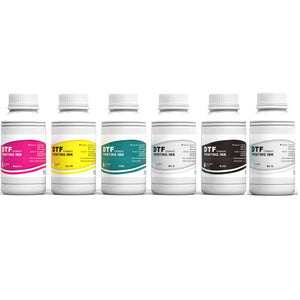
- DTF ink
- PET transfer film
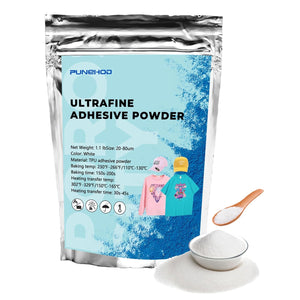
- Adhesive powder
- Curing oven or curing unit
- Heat press
- Cleaning solution
- Waste ink supplies
- Maintenance tools
- Blank garments
- Test materials
- Failed prints during setup
- Packaging and shipping supplies
- Ventilation or workspace improvements
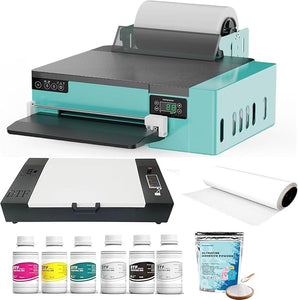
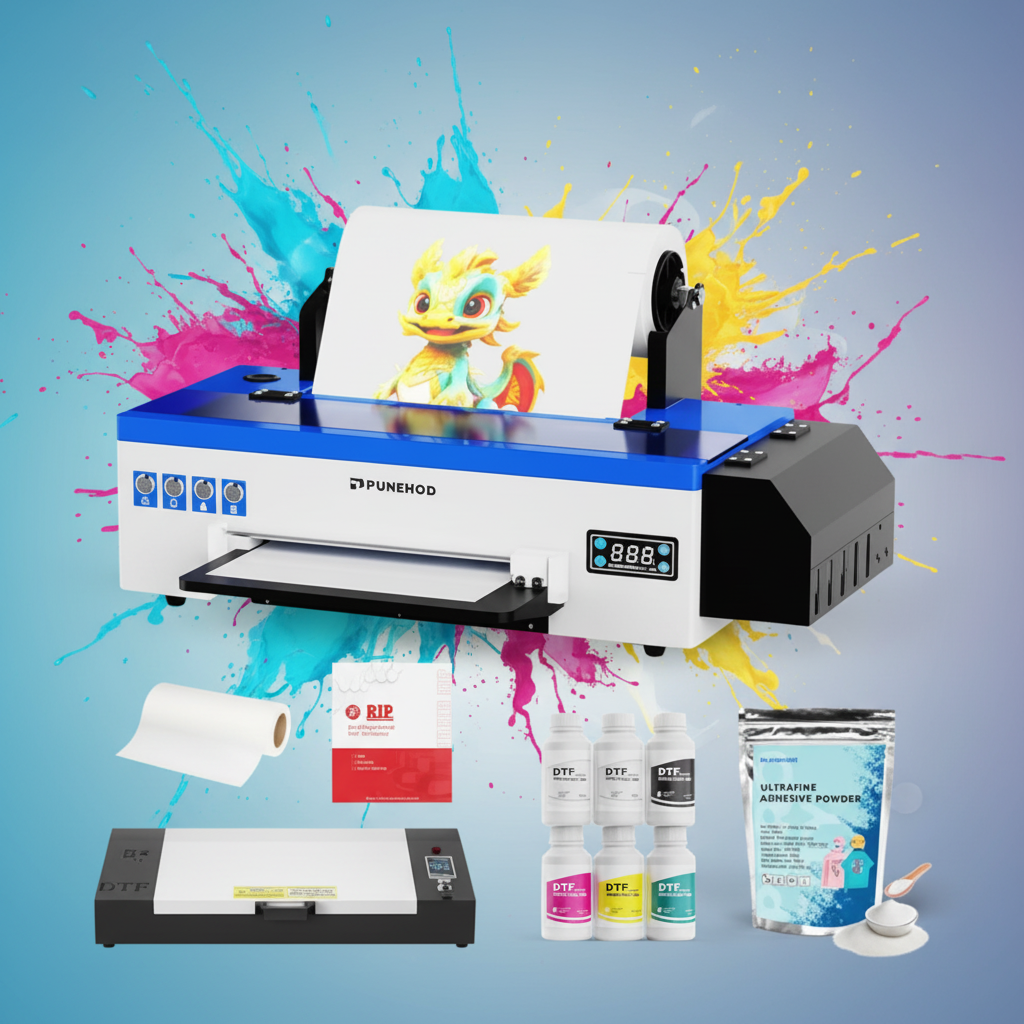
If you are comparing dtf printers for sale, check the selected product page carefully. Punehod sells printer and printer-plus-oven options, while consumables such as ink, film, powder, parts, and accessories are also available through its product categories. Package contents can vary by model and option, so confirm exactly what is included before ordering.
A simple first-month budget may look like this:
| Cost Item | Why It Matters |
| Printer | Main production equipment |
| Oven or curing unit | Needed to cure adhesive powder |
| Heat press | Needed to apply transfers |
| Ink, film, and powder | Core consumables |
| Cleaning supplies | Needed for maintenance |
| Blank garments | Needed for testing and orders |
| Failed print reserve | Covers beginner mistakes |
| Packaging | Needed for customer fulfillment |
A lower-priced printer is not always the lowest-cost setup. A bundle with the right accessories may be more practical if it helps you start producing correctly from day one. The goal is not to win the cheapest checkout screen; it is to build a setup that can actually produce sellable work.
5. Pay Close Attention to White Ink Management
White ink is central to DTF printing. It creates the base layer that helps colors appear bright on dark garments. It is also one of the main reasons DTF printers need regular care.
Punehod DTF printer models are designed with white ink circulation and stirring features to help manage ink movement. These features are useful, but they do not remove the need for maintenance.
Before buying a dtf transfer printer, make sure you understand:
- How to run nozzle checks
- How to identify weak white output
- How to keep the printer clean
- How to reduce idle-time problems
- How to follow the correct shutdown or storage routine
- How to spot early signs of clogging, banding, or poor ink flow
A DTF printer is not like a basic office printer that can sit unused for weeks without attention. It performs best when the owner prints regularly, keeps the system clean, and follows a maintenance routine. Think of white ink as the high-maintenance friend of the ink family: incredibly important, but it likes attention.
6. Know the Maintenance Commitment
Maintenance directly affects print quality, downtime, and long-term cost. It should be part of your buying decision, not an afterthought.
A practical maintenance routine includes regular checks, clean handling, and issue-based troubleshooting.
Common checks include:
- Running a nozzle check
- Looking for missing lines or banding
- Checking white ink output
- Keeping the printer and workspace clean
- Protecting film from dust and lint
- Watching for changes in ink flow
- Cleaning around the print path when needed
- Reviewing repeated print defects
The goal is not to over-clean the machine. The goal is to catch small issues before they become expensive problems. A two-minute check today can save you from a two-hour troubleshooting session tomorrow.
| Maintenance Area | Why It Matters | If Ignored |
| White ink | Opacity on dark garments | Weak white layer or clogging |
| Printhead | Print clarity | Banding or missing lines |
| Film path | Feed stability | Misalignment and waste |
| Capping area | Nozzle protection | Drying or blockage |
| Workspace | Clean output | Dust spots and defects |
| Curing process | Transfer durability | Peeling or poor wash results |
If you do not want to maintain the printer, outsourcing DTF transfers may be a better choice for now.
7. Check Software and Computer Compatibility
DTF printing requires RIP software to manage the print process, especially color handling and white ink output. Artwork editing and RIP processing are different tasks.
Punehod’s RIP workflow is built for Windows. Mac users need a Windows environment through tools such as Parallels or Bootcamp. The RIP software is used for ripping and color processing, not for editing artwork. You should prepare your design in separate software before printing.
Before buying, confirm:
- You have access to a suitable Windows setup
- You can prepare transparent artwork
- Your designs are high enough resolution
- You know how to size artwork correctly
- You can remove unwanted backgrounds
- You understand mirroring and transfer direction
- You can test print before production
Poor file preparation can waste more supplies than a hardware issue. Clean artwork, correct sizing, and repeatable RIP settings make a major difference in daily production. A printer cannot rescue a blurry logo pulled from a tiny screenshot — even if we all wish it could.
8. Prepare the Right Workspace

A DTF setup needs more space than many beginners expect. You need room for the printer, film handling, powder application, curing, heat pressing, supplies, blanks, and finished products.
Your workspace should be:
- Clean
- Organized
- Protected from dust and lint
- Stable in temperature and humidity
- Safe for heat press use
- Suitable for powder handling and curing
- Large enough to avoid contaminating film or garments
Think through the workflow before the printer arrives:
- Where will the printer sit?
- Where will printed film go?
- Where will powder be applied?
- Where will curing happen?
- Where will the heat press sit?
- Where will supplies be stored?
- Where will finished orders cool, fold, and pack?
Many “printer problems” are actually workspace problems. Dust, pet hair, lint, poor film storage, humidity, and messy handling can all affect output. If your workspace already looks like a fabric tornado passed through it, fix that before blaming the printer.
9. Compare Punehod With Other DTF Printer Brands the Right Way
DTF printer buyers often compare brands by price, print width, and bundle contents. Those factors matter, but they are not enough.
Many competitors in the US DTF printer market highlight similar selling points: white ink circulation, RIP software, training videos, technical support, maintenance features, financing, and bundled accessories. These are useful, but they should be judged by how they affect your real production workflow.
Use this comparison table:
| Factor | Why It Matters |
| Print width | Determines what products you can sell |
| White ink system | Affects consistency and downtime |
| Bundle contents | Changes the real startup cost |
| RIP software | Controls color and white ink workflow |
| Training resources | Reduces beginner mistakes |
| Warranty terms | Protects against early risk |
| Support access | Matters during setup and troubleshooting |
| Replacement parts | Affects long-term ownership |
| Consumable availability | Keeps production running |
| Upgrade path | Matters as order volume grows |
The best dtf printer is not the same for every buyer. A hobby seller printing small logos has different needs from a shop producing adult apparel every day.
Avoid vague comparisons like “best quality” or “easiest printer.” Instead, compare what affects real work: print size, software, maintenance, supplies, training, support, warranty, and the time it takes to produce a finished transfer.
10. What Most DTF Printer Comparisons Miss
Many buying guides stop at specs. That is not enough for a serious buyer.
Here are the details that often matter more in daily use:
Printer price is not the full cost
A low printer price can look attractive, but the full setup may still require curing equipment, a heat press, consumables, cleaning supplies, and replacement parts. The checkout price is only the opening scene, not the whole movie.
White ink circulation is helpful, but not magic
White ink circulation and stirring help manage ink movement, but they do not eliminate nozzle checks, cleaning, and idle-time care.
Print width should match your products
A3 is more flexible, but not every buyer needs it. If your business is built around small labels and compact graphics, A4 may be more efficient.
Software compatibility can slow beginners down
RIP software, artwork editing, and file preparation are separate skills. Buyers should confirm computer compatibility and file workflow before purchase.
Warranty length is only one part of support
Look at what parts are covered, how support is delivered, who pays shipping, and how quickly you can get help when production stops.
This is the difference between buying a printer and building a reliable printing workflow.
11. Review Warranty, Support, and Shipping Before Ordering
Support matters because DTF printers are technical products. Even experienced users can need help with setup, software, ink flow, maintenance, and troubleshooting.
For US buyers, Punehod offers free shipping within the United States, with typical delivery taking 5–10 business days. Machines and consumables may ship separately because liquids and powders can follow different transportation rules.
Warranty terms are also worth reviewing before purchase. Punehod’s warranty coverage includes specific protection for the motherboard, printhead, and waste ink pump within the first six months, along with 24-month coverage for remaining parts. Shipping fees may apply for replacement parts.
Before ordering, ask:
- What exactly is covered?
- How long is each part covered?
- Who pays shipping for replacement parts?
- How do I contact support?
- What is the response time?
- Are setup videos included?
- Is engineer support available?
- Are consumables and parts easy to reorder?
For a business buyer, support is not a bonus. It is part of the product value. When production stops, a helpful support path feels a lot more important than a flashy product photo.
12. Understand Consumables and Reordering
Ink, film, and dtf powder affect color, adhesion, hand feel, wash durability, and waste rate. A printer is only useful if you can keep it supplied.
Important consumables include:
- DTF ink
- PET transfer film
- Adhesive powder
- Cleaning solution
- Waste ink supplies
- Maintenance tools
- Replacement parts
- Blank garments for testing
Storage matters too. Keep film clean and dry. Keep powder sealed. Keep supplies away from dust, moisture, and contamination. If you plan to sell consistently, build a reorder routine before you run out of materials.
Running out of powder, film, or cleaning supplies during a busy week can stop production just as quickly as a printer issue. It is the printing version of realizing you are out of shipping labels after packing twenty orders.
13. Test Print Quality Before Selling
Do not start with customer orders. Start with controlled tests.
A useful first-week test plan includes:
- Nozzle check
- Small logo print
- Full-color graphic
- Fine text design
- Dark-shirt transfer
- White-shirt transfer
- Cotton garment
- Polyester or blend garment
- Tote bag or canvas item
- Wash test after curing and pressing
A good dtf print should be judged by more than color. Look at white opacity, edge detail, stretch, hand feel, adhesion, and wash performance.
Track your settings:
- Artwork size
- RIP settings
- Powder method
- Curing time
- Press temperature
- Press pressure
- Press duration
- Peel method
- Fabric type
- Wash result
This turns early mistakes into useful data. Once you find reliable settings for a product, document them so you can repeat the result. Future you will be grateful — especially when a customer asks for the same design three weeks later.
14. Learn the Common Beginner Problems
Most new DTF users run into issues during the learning stage. That does not always mean the printer is defective. Often, one step in the workflow needs adjustment.
| Problem | Likely Cause | What to Check First |
| Weak white layer | White ink flow or settings | Nozzle check and RIP setup |
| Banding | Clogged nozzle or poor ink flow | Test pattern and printhead condition |
| Powder sticking too much | Humidity, static, or wet ink | Film handling and curing |
| Transfer peeling | Under-curing or poor pressure | Time, temperature, and pressure |
| Dull colors | Low-quality artwork or wrong profile | File resolution and RIP settings |
| Film feeding issue | Loading or tension problem | Film path and alignment |
| Grainy print | Low-resolution artwork | Original file quality |
| Heavy hand feel | Too much powder or poor curing | Powder control and press settings |
The fastest way to improve is to troubleshoot one variable at a time. Do not change artwork, RIP settings, curing time, and press pressure all at once. Make one change, test again, and record the result. Random guessing is not a workflow; it is just stress with extra steps.
15. Think About Business ROI
The best dtf printer for small business should help you make or save money, not just print attractive samples.
Use a simple formula:
Estimated monthly profit = sales revenue − blanks − ink − film − powder − failed prints − maintenance reserve − packaging − platform fees
Then ask:
- How many shirts can I realistically sell per week?
- What is my average selling price?
- How much does each blank garment cost?
- How much film, ink, and powder will I use?
- How many prints may fail while I learn?
- How long does each order take?
- How quickly do I need to fulfill orders?
- Do I already own a heat press?
- Will I sell finished apparel, transfers, or both?
A printer is easier to justify when it supports a repeatable offer: school shirts, local business merch, event apparel, sports team graphics, niche Etsy designs, or small-batch brand drops.
If you are still validating demand, outsource first. If you already have steady orders and need better control, owning a printer may be the smarter move. The printer should serve the business plan, not become the business plan.
16. Know Who a Punehod DTF Printer Is Best For
A Punehod direct to film printer may be a good fit for:
- Home-based apparel startups
- Etsy sellers
- Shopify sellers
- Local T-shirt businesses
- Hobbyists moving into paid orders
- Small studios
- Custom gift sellers
- Creators who need faster turnaround
- Businesses printing small to medium custom runs
- Users willing to maintain the machine regularly
It may not be the best fit for:
- People who print only once every few weeks
- Buyers who do not want maintenance
- Users without space for curing and heat pressing
- Businesses needing industrial output from day one
- Sellers who have not validated demand
- Anyone expecting a fully passive machine
This distinction matters. A DTF printer can be a powerful tool, but it is still a production tool. The best results come from buyers who are ready to learn the process, test patiently, and keep the workflow under control.
17. Final Buying Checklist
Before buying a Punehod DTF printer, confirm:
- I know my main product type.
- I know whether A4 or A3 fits my designs.
- I understand the full DTF workflow.
- I have budgeted for supplies and accessories.
- I have a heat press or plan to buy one.
- I have a curing solution.
- I can run or access a Windows setup for RIP software.
- I have separate artwork editing software.
- I can maintain white ink and the printhead.
- I have a clean, stable workspace.
- I understand warranty terms.
- I know how to contact support.
- I know how to reorder consumables.
- I have planned for failed test prints.
- I know whether buying is better than outsourcing.
Final Verdict: What Matters Most?
Before buying a Punehod DTF printer, do not focus only on the lowest price. Focus on fit.
Choose A4 if your work is mostly small graphics, children’s clothing, labels, or starter projects. Choose A3 if you want more flexibility for adult shirts, hoodies, tote bags, and larger custom designs. Look closely at the full setup cost, software requirements, white ink maintenance, workspace, support, warranty, and consumables.
A DTF printer can help a small business move faster and control production in-house. The best purchase is the one that fits your real products, order volume, workspace, and maintenance habits. In other words, buy the printer that fits your workflow — not the one that simply looks best in a product photo.
FAQ
Is a Punehod DTF printer suitable for beginners?
Yes, it can be suitable for beginners who are willing to learn the workflow. A new user should be ready to handle artwork preparation, RIP software, nozzle checks, powder curing, heat pressing, and regular maintenance.
Should I choose A4 or A3?
Choose A4 for small graphics, children’s clothing, labels, and starter projects. Choose A3 for adult apparel, hoodies, tote bags, larger graphics, and broader custom order flexibility.
Is A3 worth it over A4 for a small business?
A3 is usually worth considering if you plan to print adult T-shirts, hoodies, tote bags, or varied custom orders. A4 can still be a smart choice if your business focuses on small graphics, labels, children’s clothing, or compact designs.
What else do I need besides the printer?
You may need ink, PET film, adhesive powder, a curing oven or curing unit, a heat press, cleaning supplies, artwork software, test garments, and a suitable workspace.
How much space do I need for a DTF printer setup?
You need enough room for the printer, film handling, powder application, curing, heat pressing, supply storage, and finished-order handling. A small studio can work if it is clean, organized, ventilated, and protected from dust and lint.
Does DTF printing require Windows software?
Punehod’s RIP workflow is built for Windows. Mac users should prepare for a Windows environment through tools such as Parallels or Bootcamp. Artwork editing should be done in separate design software before using RIP software.
Why is white ink important?
White ink creates the base layer for designs, especially on dark garments. Good white ink management helps improve opacity, color brightness, and print consistency.
Can a DTF printer sit unused?
DTF printers generally perform better with regular care. Long idle periods can increase the risk of ink flow issues or nozzle problems, so buyers should follow the recommended maintenance routine.
Is DTF printing profitable for small businesses?
It can be profitable when order volume, pricing, material cost, production time, and waste are managed well. Buyers should calculate expected sales and costs before purchasing.
What causes DTF transfers to peel?
Common causes include under-curing, incorrect heat press temperature, insufficient pressure, wrong pressing time, poor powder application, or fabric compatibility issues.
How should I compare DTF printer brands?
Compare print width, white ink system, included accessories, RIP software, training, warranty, technical support, replacement parts, consumables, and long-term operating cost.
What should I test before selling products?
Test a small logo, a full-color graphic, fine text, dark garments, light garments, different fabrics, and at least one wash test before selling to customers.