


Table of Contents
1. Quick Verdict: What You Need Before Your First DTF Print
2. Quick DTF Printing Supplies Checklist
3. Understand the Basic DTF Printing Workflow First
4. Essential DTF Printing Equipment
5. Essential DTF Consumables
6. Software and Design Preparation Tools
7. Maintenance and Safety Supplies Beginners Often Forget
8. Optional Supplies That Can Make DTF Printing Easier
9. A4 vs A3 DTF Printer: What Beginners Should Consider
10. What to Verify Before You Commit
11. Starter Kit vs Buying Supplies Separately
12. Who This Type of Beginner DTF Setup Is Not For
13. Common Beginner Mistakes to Avoid
14. Beginner’s Final Buying Checklist
15. FAQ
16. Final Recommendation: Start With a Tested Workflow, Not a Bigger Cart
Most beginner DTF problems do not start with the printer. They start when the first real order comes in and one part of the workflow is missing: the right film, compatible ink, white ink maintenance supplies, adhesive powder, curing method, heat press settings, or test garments.
If you run a small apparel shop, Etsy store, home studio, or local custom T-shirt business in the U.S. or Canada, treat your first DTF purchase as a production setup — not a single machine order. The goal is not just to print one good sample. The goal is to build a workflow that can produce repeatable transfers before a customer is waiting for a hoodie, shirt, tote bag, or short-run merch order.
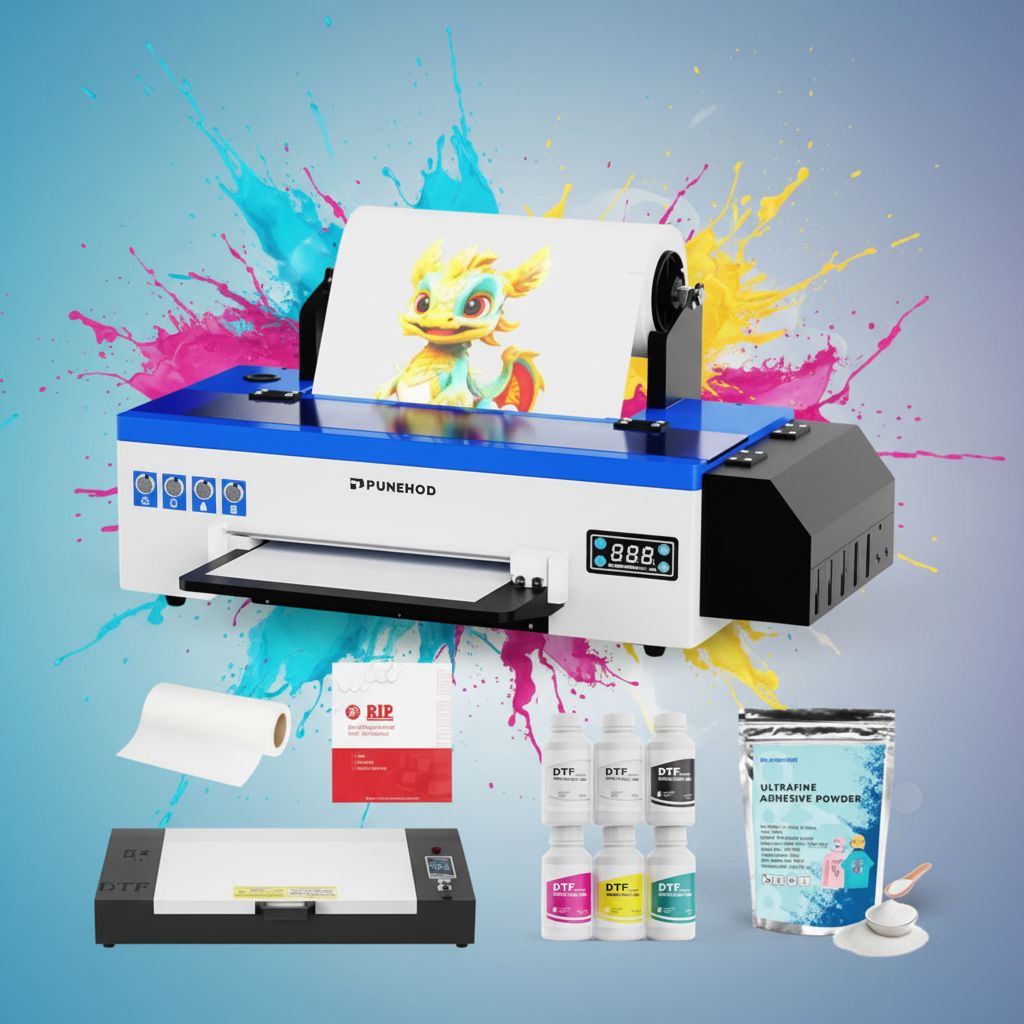
This checklist is written for beginners and small business buyers comparing their first DTF setup. It explains which supplies are essential, which are optional, what to verify before buying, and where a brand like Punehod fits into the buying process without assuming one setup is right for every user.
Punehod’s public product pages currently cover DTF printers, A3 and A4 model options, DTF ink, white ink, adhesive powder, transfer film, parts, and software/tutorial resources. Use those pages as starting points, then confirm compatibility before purchasing.
Quick Verdict: What You Need Before Your First DTF Print
A beginner DTF setup needs more than a printer. Before your first real production test, prepare five groups of supplies: printing equipment, transfer consumables, curing and heat press tools, software, and maintenance supplies.
The must-have list includes a DTF printer, DTF transfer film, CMYK and white DTF ink, adhesive powder, RIP software, a curing method, a heat press, cleaning solution, lint-free wipes, and sample garments.
Optional upgrades such as an automatic powder shaker, larger heat press, extra platens, or production packaging should come later, after you understand your order volume and failure points. For a beginner, the smartest first goal is not speed. It is repeatability.

Quick DTF Printing Supplies Checklist for Beginners
|
Category |
Supplies Needed |
Beginner Priority |
|
Printing equipment |
DTF printer, computer, stable table or printer stand |
Must-have |
|
Transfer consumables |
DTF transfer film, CMYK DTF ink, white DTF ink, adhesive powder |
Must-have |
|
Curing and pressing |
Curing oven or curing method, heat press, protective sheet |
Must-have |
|
Software |
RIP software, printer driver, design software |
Must-have |
|
Maintenance |
Cleaning solution, lint-free wipes, waste ink handling, basic spare parts if recommended |
Strongly recommended |
|
Safety and workspace |
Gloves, ventilation, PPE based on material SDS and workspace hazards |
Strongly recommended |
|
Testing |
Sample garments, extra film, wash-test samples |
Must-have before selling |
|
Order preparation |
Garment care cards, packaging, labels, production log |
Useful once orders begin |
A useful rule: anything that affects output, adhesion, curing, machine health, or customer delivery belongs on the buying list. That is why DTF printing supplies should be planned around the full workflow, not around the printer alone.
Understand the Basic DTF Printing Workflow First
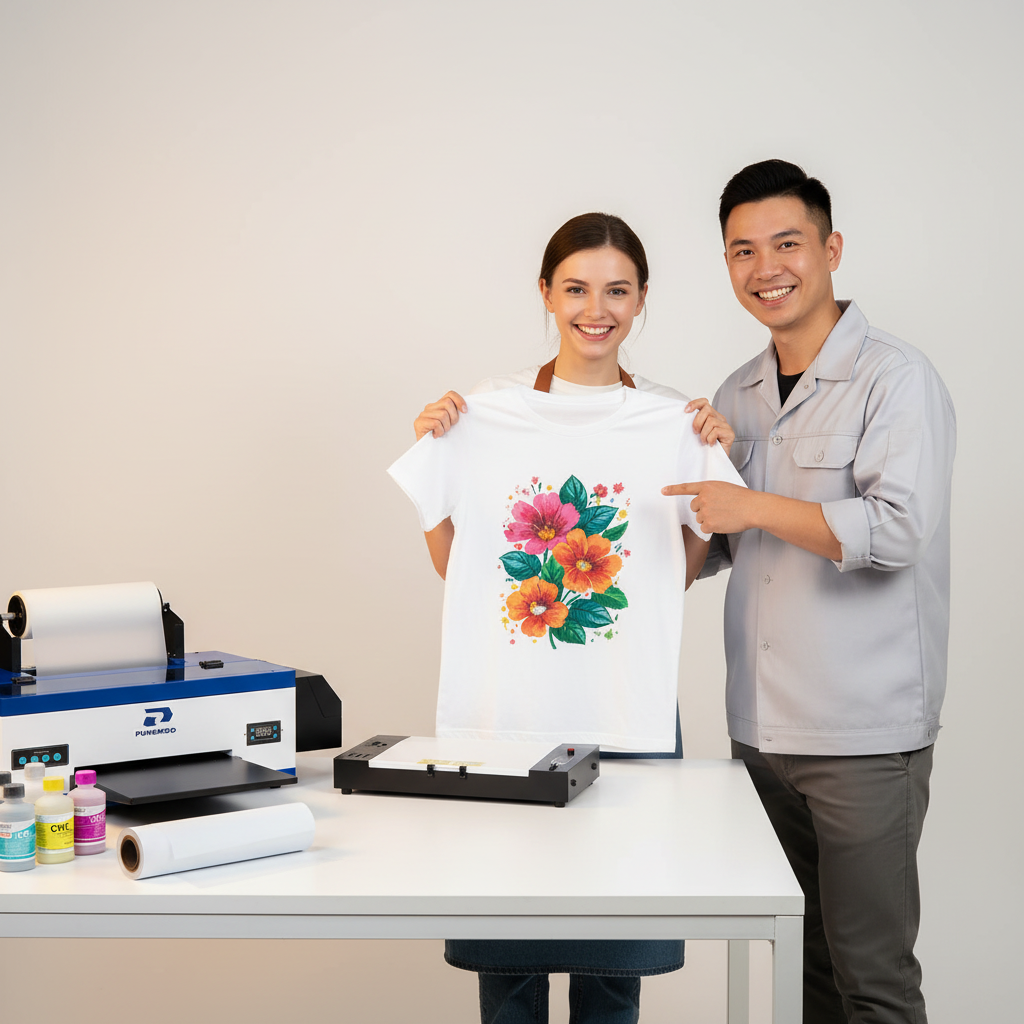
In a typical DTF workflow, the design is printed onto coated transfer film, adhesive powder is applied to the wet ink layer, the powder is cured with heat, and the finished transfer is pressed onto fabric using controlled temperature, time, and pressure. Punehod’s DTF printer page also describes direct-to-film printing as a heat-transfer workflow for custom apparel and textile decoration, with powder application, curing, and heat pressing as part of the process.
The workflow usually looks like this:
1. Prepare the design file
2. Send the file through RIP software
3. Print onto DTF transfer film
4. Apply adhesive powder
5. Cure the powder
6. Heat press the transfer onto the garment
7. Peel the film according to film instructions
8. Final press if recommended by the film or transfer supplier
In DTF, a transfer usually fails at the weakest step: wet ink, uneven powder, poor curing, incorrect pressure, or a fabric that was never tested. This is why a beginner checklist should connect every supply to a workflow step.
Essential DTF Printing Equipment
1. DTF Printer
The printer is the center of the setup, but the right model depends on print size, order type, workspace, and maintenance expectations.
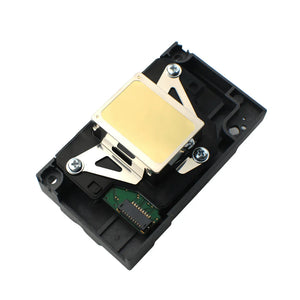
Punehod’s DTF printer collection currently includes A3 and A4 printer options, with listed print size filters such as 8.3-inch and 13-inch models. The page also shows model comparison details such as print width, supported OS, color configuration, software, white ink stirring, and heating function. Because product details and prices can change, confirm the current specifications on the product page before buying.
For beginners, the key questions are:
· What size transfers do you need most often?
· Are you printing small chest logos, full-front designs, hoodie graphics, or tote bag designs?
· Does the printer support the software and computer you plan to use?
· What white ink maintenance does the model require?
· Are ink, film, powder, dampers, printheads, or other parts easy to reorder?
· What setup and tutorial resources are available?
A low printer price does not help much if replacement parts, ink, support, or failed transfers raise the real cost later.
2. Heat Press
A household iron is not recommended for repeatable DTF production because it cannot reliably control pressure and temperature across the transfer area. A heat press gives you more consistent time, pressure, and temperature control.
Heat press settings vary by fabric. Cotton, polyester, fleece, nylon, blends, and stretch fabrics can require different temperature ceilings, pressure levels, and peel methods. DTFTransfers’ fabric pressing guide notes that settings should be adjusted by fabric type and recommends test pressing before running full production on unfamiliar material.
For a beginner, the heat press should be large enough for your most common design size. If you expect to print adult T-shirts, hoodies, and bags, check platen size before buying the smallest press available.
3. Curing Setup
After adhesive powder is applied, it needs to be cured before pressing. Under-cured powder may create weak adhesion or a gritty feel. Over-curing may affect finish or make transfers harder to apply.
A small curing oven or printer bundle with an oven can be easier for beginners than improvising with inconsistent heat. Higher-volume shops may later consider an automatic powder shaker and dryer, but that is usually an upgrade decision, not a day-one requirement.
4. Computer and Workspace
Your computer needs to run design software, printer drivers, and RIP software reliably. Punehod’s support resources page currently provides software and tutorial downloads, including step-by-step guides and model-related resources.
Also plan the workspace. Keep the printer away from dust, lint, open windows, pet hair, and high-traffic areas. DTF film scratches easily, powder can clump, and small contamination issues may show up in the final transfer.
Essential DTF Consumables
DTF Transfer Film
DTF film is not ordinary plastic film. It has a coating designed to receive ink and release the transfer after pressing.
Check:
· Film width
· Sheet or roll format
· Hot peel, cold peel, or hybrid peel behavior
· Printer compatibility
· Storage requirements
· Coating consistency
If the film does not match your printer width or transfer workflow, production becomes frustrating quickly. Punehod’s consumables collection currently lists DTF transfer film roll options, including 8.3-inch and 13-inch rolls.
DTF Ink
DTF ink must be compatible with your printer and workflow. Do not assume any ink labeled “DTF” will work well in every machine.
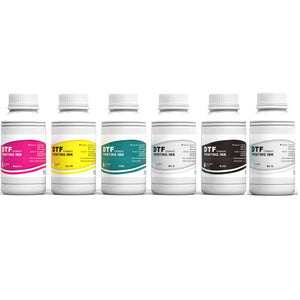
A typical DTF ink setup uses CMYK plus white ink. Punehod’s consumables page currently lists DTF ink combinations, white DTF ink, and DTF ink/powder combo kits. Confirm the correct ink set for your printer model before refilling or switching suppliers.
White Ink
White ink is where many beginner setups become maintenance-heavy. White ink gets opacity from heavier pigment particles, which can settle if not circulated or agitated. Maintenance guides commonly recommend white ink agitation or circulation, nozzle checks, and cleaning routines based on the printer model.
Do not treat white ink maintenance as optional. If the white layer fails, dark garment prints can look dull, patchy, or incomplete.
Before buying a DTF printer, ask:
· Does the printer include white ink stirring or circulation?
· How often should white ink be agitated?
· What nozzle check routine is recommended?
· What cleaning solution should be used?
· What should you do if the white channel stops printing?
Follow the printer manufacturer’s or ink supplier’s instructions rather than using random cleaners.
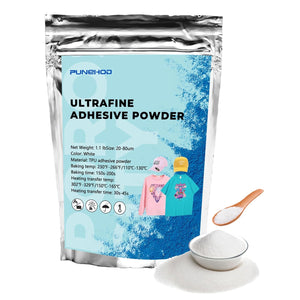
Hot Melt Adhesive Powder
Adhesive powder bonds the printed design to the garment. It needs to match the ink, film, curing method, and garment type.
Check:
· Powder type
· Particle size if specified
· Fabric compatibility
· Storage requirements
· Moisture sensitivity
· Recommended curing conditions
Punehod’s consumables page currently lists DTF powder products and ink/powder combo kits. For beginners, the safest approach is to test one powder with one film and one ink set before changing variables.
Cleaning and Maintenance Consumables
Do not wait for a clog before buying maintenance supplies. Keep the basics ready:
· Cleaning solution recommended for your printer or ink system
· Lint-free wipes
· Gloves
· Waste ink handling supplies
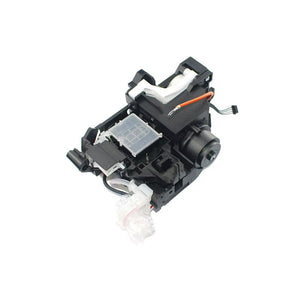
· Dampers or small parts if the supplier recommends keeping spares
· Dust cover
· Storage containers for film and powder
A beginner workflow should include nozzle checks and cleaning steps before real customer orders depend on the machine.

Software and Design Preparation Tools
DTF printing is not simply “upload a PNG and print.” The file needs to be prepared so the printer can handle color output, white ink layers, ink limits, and print layout.
You may need:
· Design software
· RIP software
· Printer driver
· ICC or color profiles if supplied
· File templates for common garment sizes
· Basic artwork cleanup workflow
RIP software matters because it controls how the printer handles white ink, color management, and output settings. If the white layer is incorrect, a design may look weak on dark garments. If ink limits are poorly controlled, film can stay too wet and cause powder or curing problems.
Before taking orders, create test files:
· One small logo
· One full-color graphic
· One white-heavy design
· One fine-detail design
· One design for a dark garment
Print and press those tests before using the workflow for paid orders.
Maintenance and Safety Supplies Beginners Often Forget
A beginner DTF setup should include supplies that protect both the machine and the workspace.
Recommended maintenance supplies include:
· Lint-free wipes
· Approved cleaning solution
· Waste ink container or waste ink handling method
· Gloves
· Dust cover
· Storage containers for powder and film
· Basic spare parts recommended by the supplier
For safety, review the safety data sheets for inks, powders, cleaners, and related materials. OSHA’s PPE standard requires employers to assess the workplace for hazards that may require personal protective equipment and select PPE based on the hazard assessment. Small studios should think about ventilation, powder handling, heat exposure, chemical storage, gloves, eye protection, and respiratory protection when applicable.
This does not mean every home studio needs the same PPE setup. It means you should review your materials and workspace instead of guessing.

Optional Supplies That Can Make DTF Printing Easier
Some tools are worth buying only after you know your order volume.
Optional upgrades include:
· Automatic powder shaker
· Larger heat press
· Extra platen sizes
· Garment alignment tools
· Film cutter
· Extra test film
· Packaging materials
· Production log sheet
· Additional spare parts
If you are testing DTF for a new business, avoid buying every upgrade immediately. First prove that you can produce a small pilot batch with consistent transfers, acceptable wash-test results, and a maintenance routine you can actually follow.
A4 vs A3 DTF Printer: What Beginners Should Consider
A4 and A3 DTF printers serve different beginner needs.
An A4 setup may be enough for small logos, kids’ shirts, left-chest graphics, small tote bags, and early-stage home studio testing. It may also fit better in a small workspace.
An A3 setup gives more room for larger front prints, hoodie graphics, adult shirt designs, and small business merch. If your first orders include larger graphics, an A3 printer may reduce layout limitations.
Use this simple decision guide:
|
Buyer Scenario |
Better Starting Point |
Why |
|
Hobby use, testing, small designs |
A4 may be enough |
Lower space requirement and smaller transfer width |
|
Etsy shirts, small logo work, occasional orders |
A4 or A3 |
Depends on design size and expected order volume |
|
Adult shirts, hoodies, tote bags, larger merch |
A3 is usually more flexible |
Larger print width supports more design types |
|
Local apparel shop with repeat orders |
A3 or higher-capacity setup |
More room for production growth |
|
Buyer unsure about design size |
Confirm sample artwork before buying |
Printer width determines what you can produce |
Punehod’s DTF printer collection currently includes both 8.3-inch and 13-inch print size options. Confirm the exact model, print width, package contents, software, and support resources before purchase.
What to Verify Before You Commit
Before buying, confirm the full workflow rather than only the printer model.
|
What to Verify |
Why It Matters |
|
Printer size: A4 or A3 |
Determines the transfer size you can produce for shirts, hoodies, bags, and back prints. |
|
Supported operating system |
Some DTF workflows are Windows-based; confirm before buying a computer or software. |
|
RIP software included or required |
White ink layers, ink limits, and print layout depend on RIP setup. |
|
Compatible ink set |
Wrong ink can create color, adhesion, or maintenance issues. |
|
Film width and peel type |
Film must match printer width and production workflow. |
|
Powder type and storage needs |
Powder affects adhesion and can clump in humid conditions. |
|
Curing method |
Under-curing or over-curing can lead to poor bonding or transfer defects. |
|
White ink maintenance |
White ink requires regular handling based on the printer model and supplier instructions. |
|
Spare parts and consumables |
Downtime matters once paid orders are involved. |
|
Warranty and service limits |
Confirm what is covered, what is excluded, and who pays shipping before purchase. |
If you are considering Punehod, use the DTF printer collection, consumables page, and software and tutorial resources to shortlist your setup. Then confirm model compatibility before purchasing.
Starter Kit vs Buying Supplies Separately
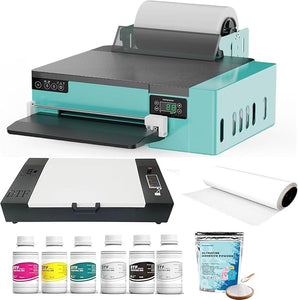
A starter kit or printer bundle may help beginners reduce compatibility guesswork if the printer, ink, film, powder, software, and curing method are confirmed to work together.
Buying separately can make sense if you already understand DTF workflows, know your printer’s requirements, and want to test specific consumable suppliers. It may also work for users who already own a heat press, RIP software, or workspace setup.
For most beginners, the practical path is to start with one matched workflow and test it before changing variables.
A simple pilot plan:
1. Choose one printer setup.
2. Use one film type.
3. Use one ink set.
4. Use one powder.
5. Use one curing method.
6. Press on the garment types you actually plan to sell.
7. Run a small pilot batch — for example, 10–20 sample transfers.
8. Wash-test before accepting paid orders.
Do not change film, ink, powder, and press settings all at once. If something fails, you will not know which variable caused the problem.
Who This Type of Beginner DTF Setup Is Not For
A beginner DTF setup is not the right fit if you need industrial-volume production from day one, a guaranteed local service technician, a formal enterprise SLA, or a fully automated production line with minimal hands-on maintenance.
It may also be a poor fit if you cannot make time for white ink maintenance, test pressing, curing checks, and wash testing. DTF printing can work well for custom apparel, but it is not a “buy once and ignore maintenance” workflow.
If your business already has steady bulk orders, tight delivery deadlines, or multiple staff members using the equipment, treat this as a more formal equipment purchase. Confirm service coverage, spare parts availability, training resources, warranty terms, and consumable lead times before committing.
Common Beginner Mistakes to Avoid
Mistake 1: Buying the Printer and Forgetting the Workflow
The most common first-week problem is simple: the printer arrives, but the shop is still missing one or two workflow-critical items. Without film, ink, powder, curing, heat pressing, software, and maintenance supplies, production stops before it starts.
Mistake 2: Using Unconfirmed Ink, Film, or Powder
DTF printing is sensitive to material compatibility. A random low-cost ink, film, or powder may work, but it should be tested before customer production.
Mistake 3: Ignoring White Ink Maintenance
White ink requires regular handling based on the printer model and supplier instructions. Skipping maintenance can lead to missing white layers, banding, clogs, or dull prints.
Mistake 4: Guessing Heat Press Settings
Different fabrics require different time, temperature, pressure, and peel methods. Test on comparable fabric before producing a customer batch.
Mistake 5: Selling Before Wash Testing
A transfer that looks good immediately after pressing may still fail later if adhesion, curing, or press settings are wrong. Wash-test sample garments before you sell.
Mistake 6: Scaling Too Soon
Do not buy every upgrade before proving your first workflow. A larger press, auto shaker, or extra platen should solve a known bottleneck — not guess at one.
Beginner’s Final Buying Checklist
Must-have before the first production test
· DTF printer
· Computer
· RIP software and printer driver
· Design software
· DTF transfer film
· CMYK DTF ink
· White DTF ink
· Hot melt adhesive powder
· Curing oven or curing method
· Heat press
· Cleaning solution
· Lint-free wipes
· Sample garments
Strongly recommended before taking paid orders
· Extra film for testing
· Extra powder storage container
· Gloves
· Ventilation plan
· PPE based on SDS and workspace hazards
· Waste ink handling supplies
· Wash-test samples
· Garment care instructions
· Basic spare parts recommended by the supplier
Optional upgrades
· Automatic powder shaker
· Larger heat press
· Extra platen sizes
· Garment alignment tools
· Film cutter
· Packaging materials
· Production log sheet
FAQ
What supplies do I need to start DTF printing?
You need a DTF printer, DTF transfer film, CMYK and white DTF ink, adhesive powder, RIP software, a curing method, a heat press, cleaning supplies, and test garments. For business use, also plan safety supplies, packaging, and a maintenance routine.
Can I start DTF printing with only a printer and heat press?
Usually, no. A printer and heat press alone are not enough for a complete DTF workflow. You also need film, ink, white ink, adhesive powder, RIP software, curing capability, cleaning supplies, and test materials.
Do DTF printers need special ink?
Yes. DTF printers use ink designed for direct-to-film printing. Confirm ink compatibility with your printer model before buying or refilling.
Why is white ink so important in DTF printing?
White ink creates the underbase that helps colors stay visible on dark garments. It also requires regular maintenance because white pigment can settle or clog if the printer is not maintained according to supplier instructions.
Is an A4 or A3 DTF printer better for beginners?
It depends on your first use case. A4 may be enough for small designs, hobby use, and compact workspaces. A3 gives more flexibility for adult shirts, hoodies, tote bags, and larger merch graphics. Confirm your artwork size before buying.
Is a DTF starter kit better than buying supplies separately?
A starter kit may be safer for beginners when the components are confirmed compatible. Buying separately may make sense if you already understand the printer’s requirements and want more control over each material.
How often do I need to clean a DTF printer?
The schedule depends on the printer model, ink system, environment, and production volume. Expect regular nozzle checks, white ink maintenance, and cleaning steps based on the supplier’s instructions.
What should I test before selling DTF products?
Test print quality, adhesion, curing, heat press settings, peel behavior, garment compatibility, and wash performance. Use the same film, ink, powder, and garment types you plan to sell.
What should I ask a supplier before buying DTF supplies?
Ask about printer compatibility, ink type, film width and peel method, powder compatibility, RIP software, spare parts, warranty, shipping, support boundaries, and maintenance requirements. Verify current terms before committing.
Final Recommendation: Start With a Tested Workflow, Not a Bigger Cart
For a first DTF setup, the safest buying path is to confirm compatibility first and scale later. Choose one printer size, one ink set, one film type, one powder, one curing method, and one heat press workflow. Then run a small pilot batch before taking paid orders.
If you are considering Punehod, start with the current DTF printer options, review compatible DTF consumables, and use Punehod’s software and tutorial resources during setup. For model compatibility, purchase questions, or setup confirmation, use Punehod’s contact page or pre-sales chat path before purchasing.
Test the workflow on the garments you actually plan to sell, wash-test the samples, and only then decide whether to add upgrades such as a larger press, extra platens, or an automatic powder shaker.
Sources
1. Punehod DTF Printer Collection
Supports Punehod DTF printer category, A3/A4 options, print size filters, DTF process explanation, product listings, model comparison, supported OS, color configuration, software, and white ink stirring information.
2. Punehod Consumables
Supports Punehod DTF ink, white DTF ink, DTF powder, transfer film rolls, dampers, and related consumables.
3. Punehod Software & Tutorials
Supports software/tutorial downloads and model-related setup resources.
4. Punehod Contact Us
Supports after-sales contact details and pre-sales inquiry instruction via chat.
5. OSHA 1910.132 General Requirements
Supports workplace hazard assessment and PPE selection language.
6. AA Print Supply Co. DTF Printer Maintenance Guide
Supports white ink settling, agitation/circulation, nozzle checks, cleaning cycles, and maintenance considerations.
7. DTFTransfers Pressing Guide by Fabric
Supports fabric-specific heat press settings, test pressing, temperature, pressure, time, and peel method considerations.